This quick guide will show you everything you need to know.
Getting Started
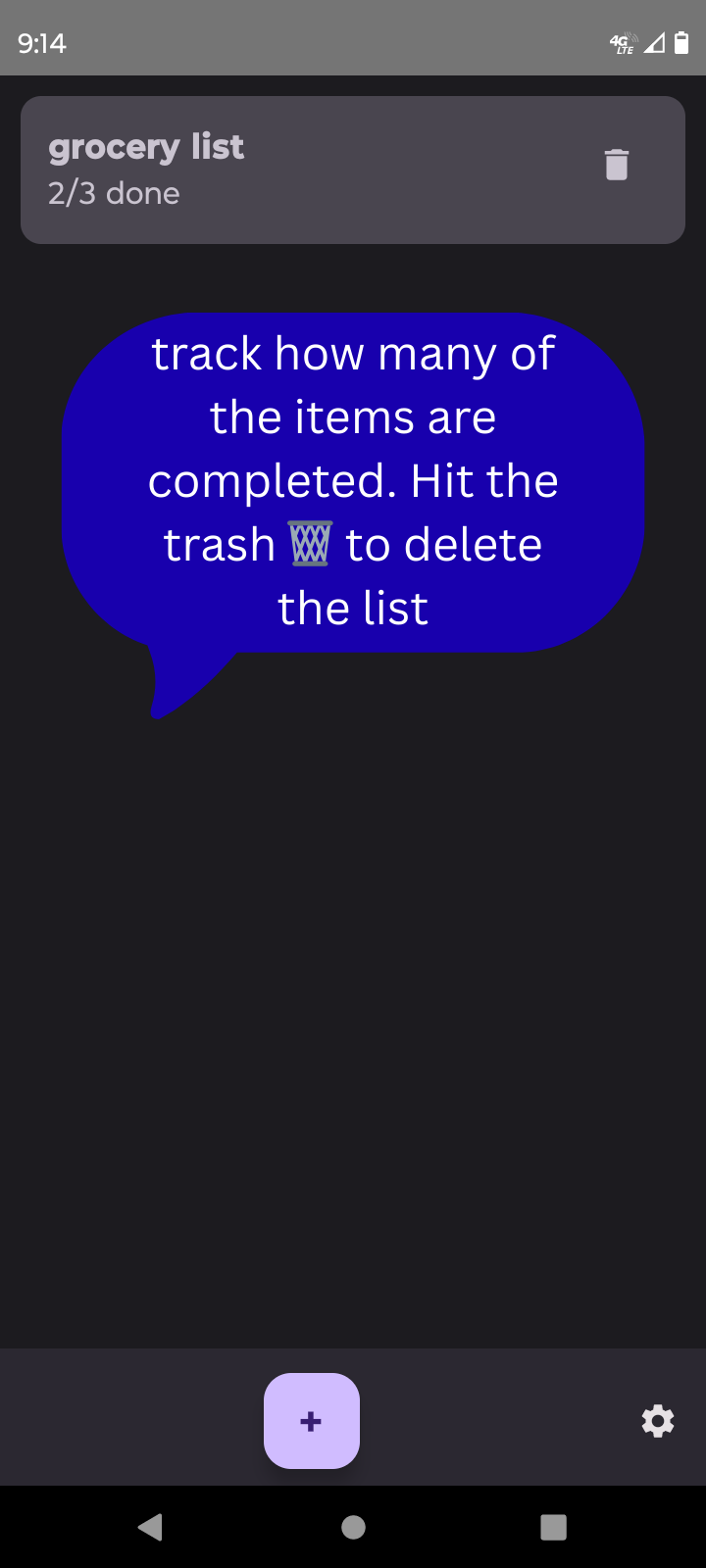
1. Add a New List
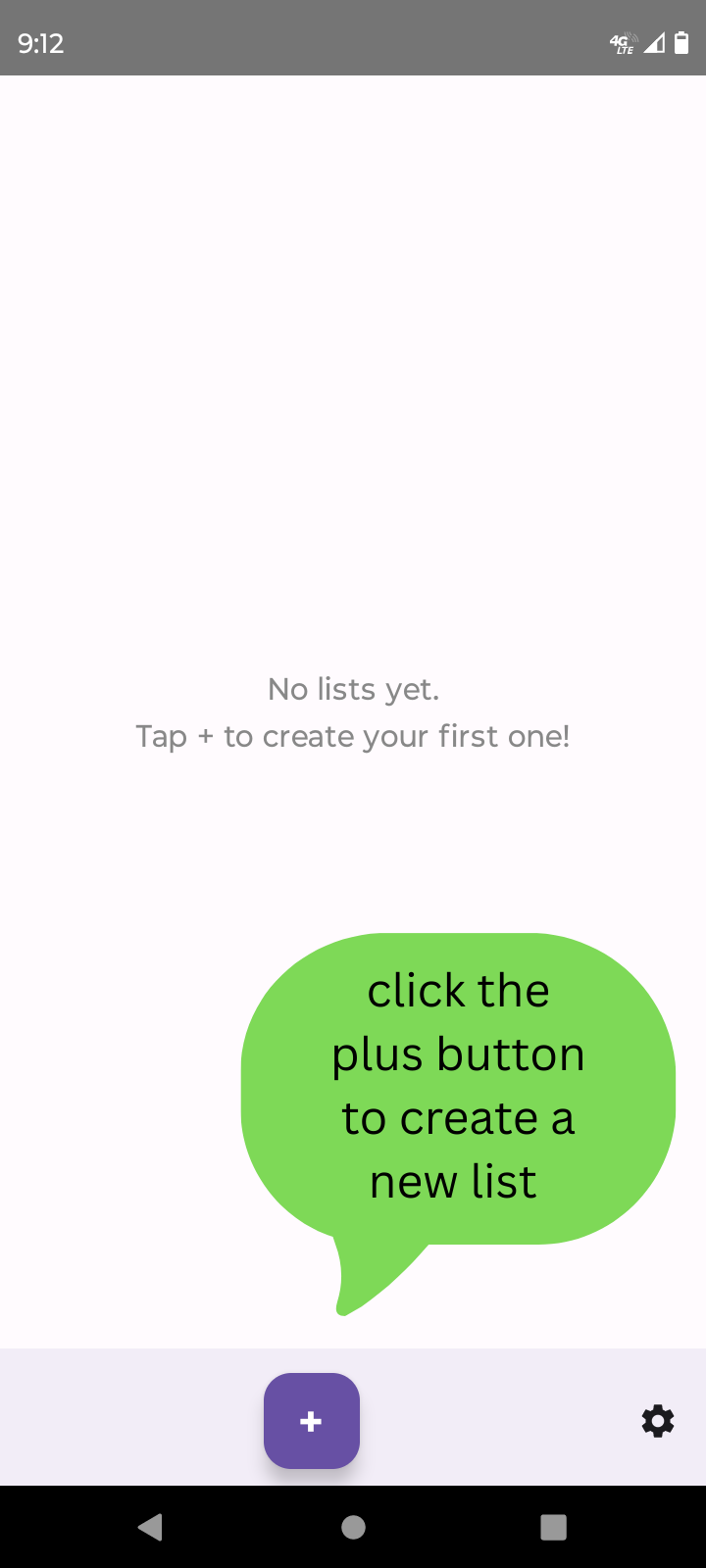
Open Listica.
Tap the ➕ (plus) button at the bottom.
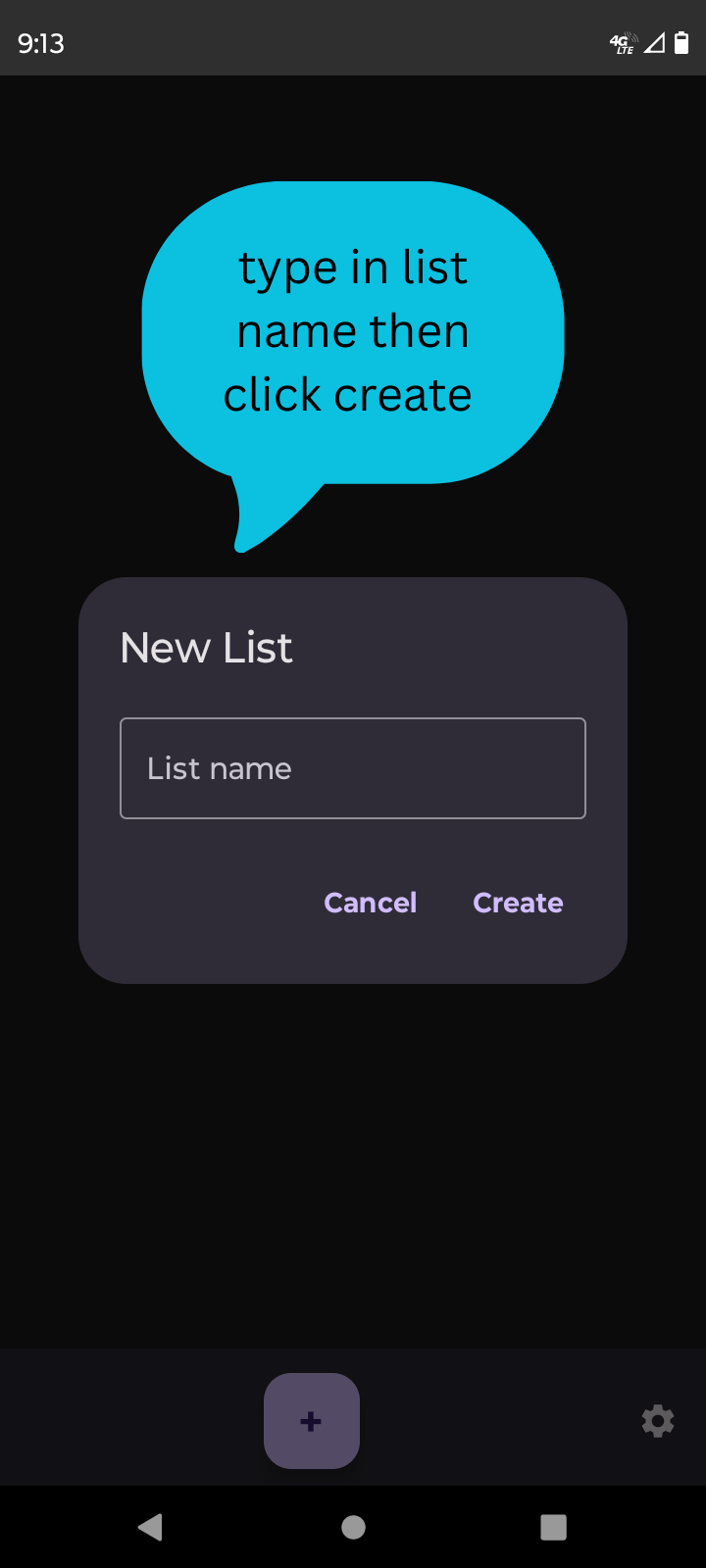
Enter your list name, then tap Create.
2. Add Items to Your List
Tap on your list.
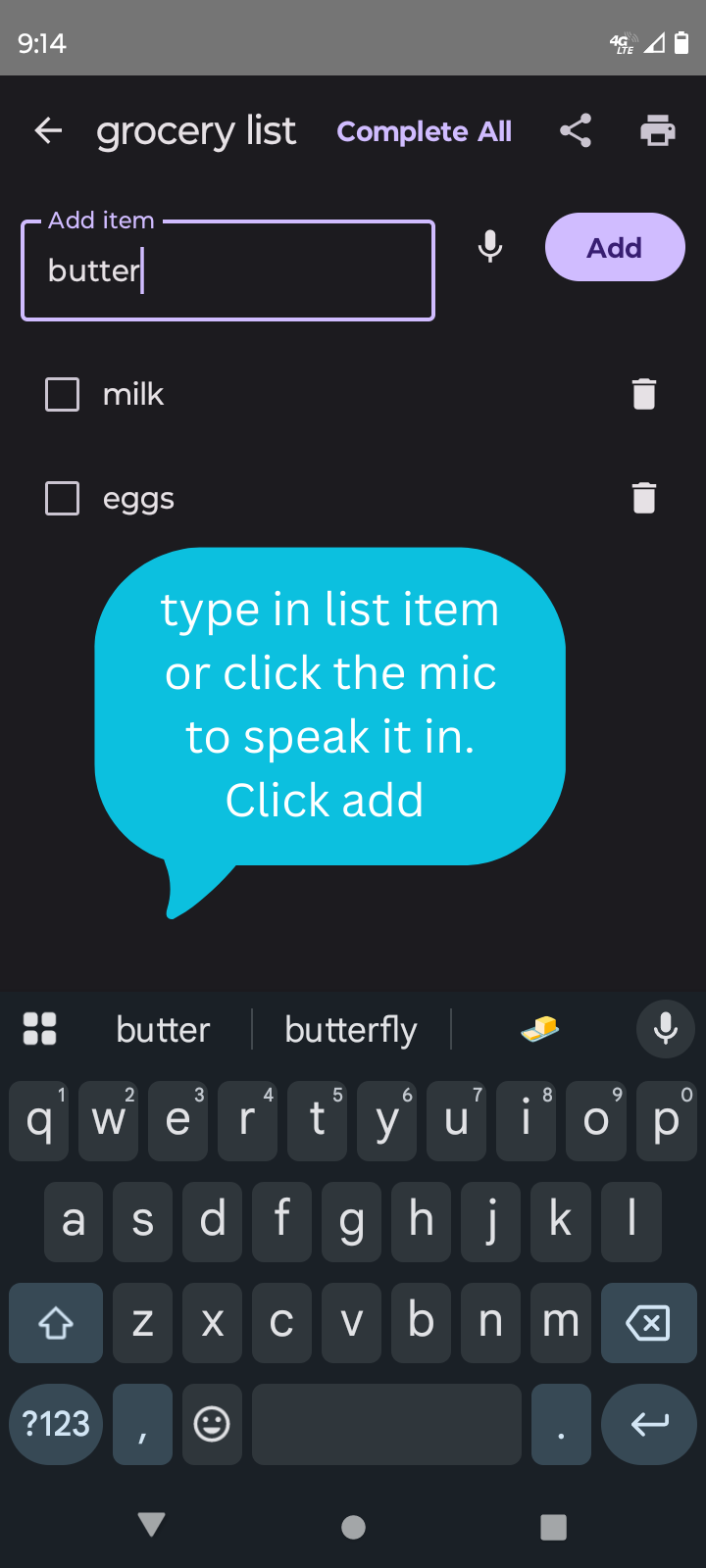
Tap in the Add Item box, or hit mic button to speak in your item.
Enter your item, then tap Add.
3. Delete an Item
Click the trash can next to the item.
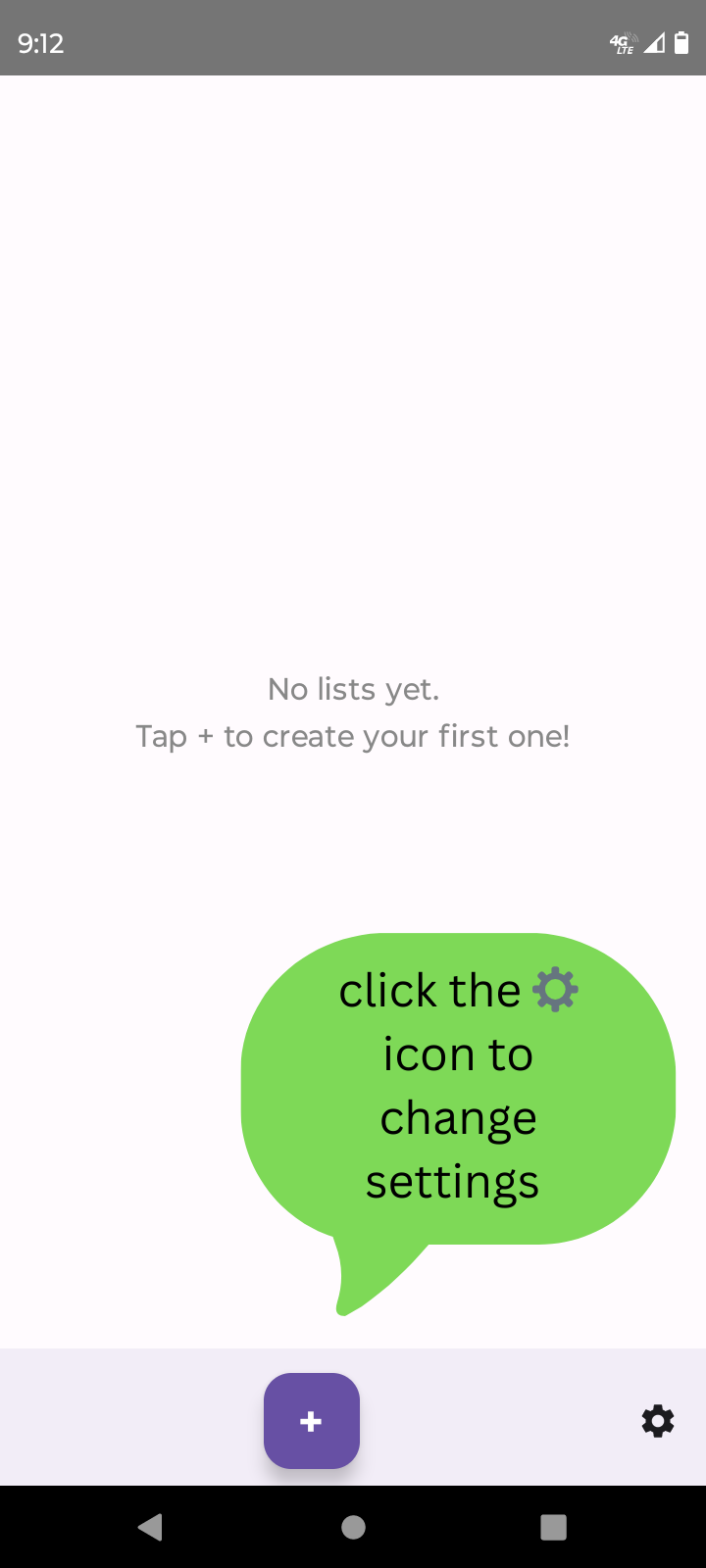
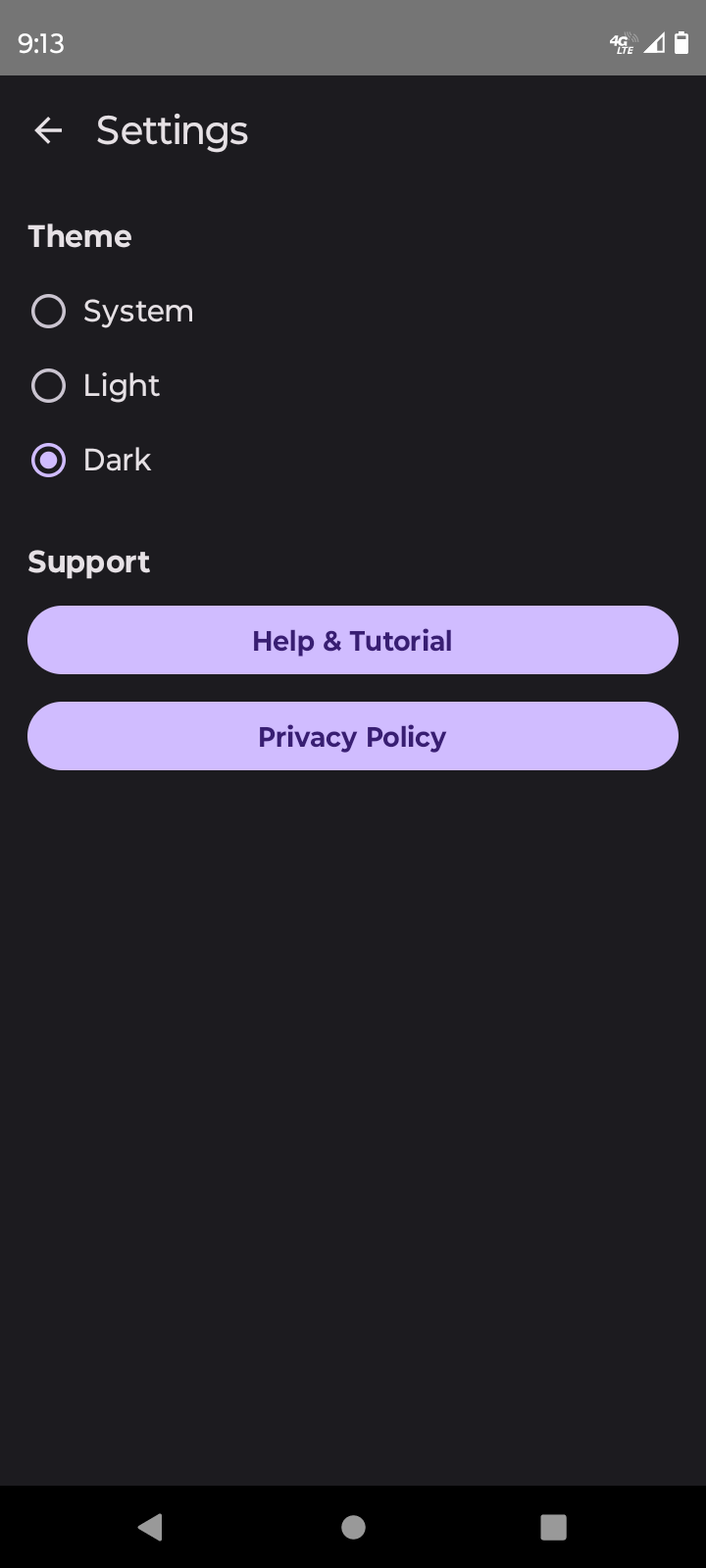
Using Settings
Dark Mode: Turn on for an easier-on-the-eyes look or use light mode or system mode to keep your list automatically like your phone settings.
Tutorial: You can always revisit this help page by tapping Help and Tutorial in the settings menu.
Privacy Policy is always available in the Settings menu.
Need More Help?
If you’re still stuck (it happens, we won’t judge!), email us at conairgames2025@gmail.com.
We love feedback and want to make Listica even better!
2 thoughts on “How to Use Listica”
Troy
This is a really great list. It’s not cluttered with useless features and most importantly it has no ads. Perfect for doing just what you need and nothing more, plus it has a mic input so no typing.

This is a really great list. It’s not cluttered with useless features and most importantly it has no ads. Perfect for doing just what you need and nothing more, plus it has a mic input so no typing.
Thanks for your interest and support in Listica. I will have many more apps coming to the play store soon, check it out below. https://play.google.com/store/apps/dev?id=8909113769630280517